

How Supercode Works
Supercode extends the AI agent built into your coding app and adds its own automation, context, input, and catalog capabilities directly to the agent experience.
Because Supercode works inside the host agent flow, it can optimize how an agent approaches work, add context before a turn, and expose reusable Skills without replacing the application's native chat. Cursor also supports Supercode automation, custom controls, and voice input.
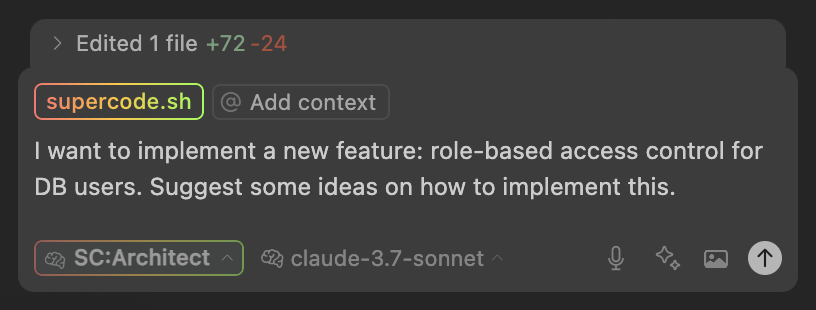
Current feature areas
- Automation: Workflows and Actions can transform prompts, run commands, call external services, and execute multi-step agent flows.
- Input: Voice Input and Prompt Enhancement help you create detailed requests faster.
- Context and tokens: Context Boosting supplies relevant project context, while Token Optimization reduces unnecessary terminal output.
- Reusable knowledge: the Skills Catalog adds specialized agent capabilities, while Specs & Docs provides focused documentation workflows.
Settings and project context
Open Supercode → Settings to manage your account and available agent features. In Cursor, Actions, Workflows, and custom modes can also be stored as JSON or YAML under the project's .supercode directory so teams can version and share them.
Eligible accounts can initialize a project to create .supercode/def.json. Supercode uses that compact project definition when a server-backed feature needs information about the current technology stack.
Platform compatibility
Shared features and platform-specific enhancements are listed below.
| Feature | Claude | Codex | Cursor |
|---|---|---|---|
| Token Optimization Basic / Max | Supported | Supported | Supported |
| Context Boosting | Supported | Supported | Supported |
| Skills Catalog | Supported | Supported | Supported |
| Specs & Docs | Supported | Supported | Supported |
| Voice | Native | Native | Native & Supercode |
| Workflows and Actions | Not available | Not available | Supported |
Keep the host application and Supercode updated. A feature may be temporarily unavailable when the installed host version or local environment is not supported.